


I asked my CFO research team: can a CFO replace the monthly FP&A grind with a Claude workflow that’s repeatable, accurate, and fast enough to run every month?
The answer is yes. And I’m going to show you exactly how.
I built a full monthly planning system for a real SaaS company inside Claude. A planning model with customer metrics, headcount planning, full financials, and a balance sheet.
Wait until you see the dashboard at the end. Because Claude handled the entire reforecast in the same Project, it had full context for every chart, every narrative, and every scenario. It’s the most comprehensive planning dashboard I’ve built so far
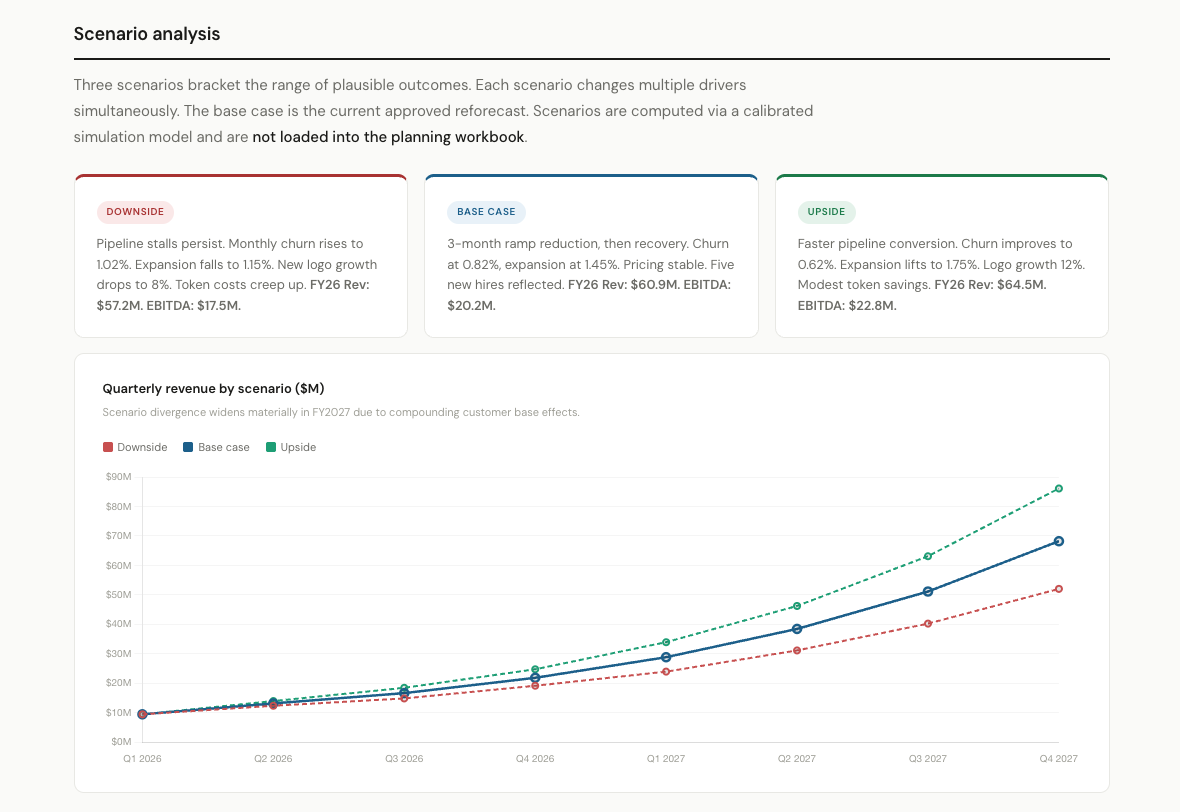
I took CoolDashboards, LLC monthly planning model, uploaded it to a Claude Project, and ran the full FP&A cycle. Actuals loaded. Forecast updated. Assumptions pressure-tested. Scenarios built. Dashboard created.
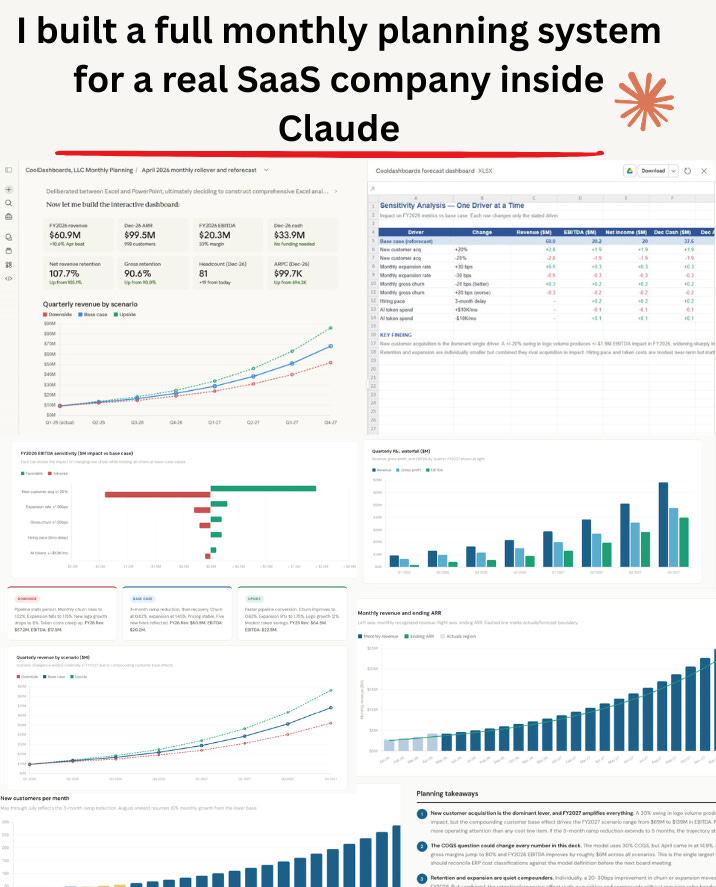
In today’s edition, you’ll see how to set up a Claude Project as your persistent FP&A workspace, load a real planning model and new actuals, spot anomalies against the plan, update the forecast, run scenarios with sensitivity analysis, and save the entire workflow so next month takes half the time.
No code, no API or any technical skills needed
Let’s dive in.